
Emoji Picker
Vicinae ships with a capable emoji picker out of the box.
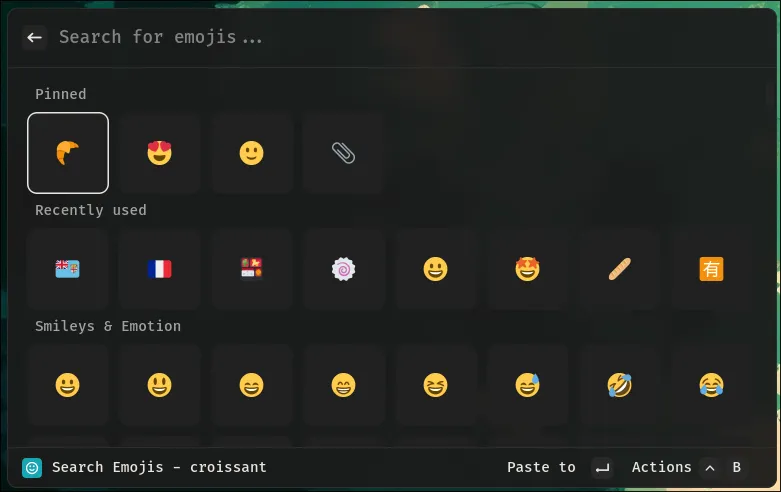
Use emoji picker
Simply launch the Search Emojis and Symbols command.
From there you can copy, pin or add custom keywords to index a specific emoji.
Emoji font selection
Currently, Vicinae uses a somewhat hacky method in order to figure out what emoji font should be used.
On Linux, if Vicinae doesn't pick up the emoji font you would like it to, it is possible to override it by setting the EMOJI_FONT environment variable to the font family of your choice.
For instance:
EMOJI_FONT=Twemoji vicinae server
On macOS and Windows, the system emoji font (Apple Color Emoji, Segoe UI Emoji) is always used and EMOJI_FONT is ignored.
If the family doesn't exist, a warning is printed and Qt falls back to its own font matching.